ALC - Ascera

test

Posts about Blog (2):

Leveraging AI to Help Attain and Maintain CMMC Compliance

Leveraging AI to Help Attain and Maintain CMMC Compliance

Across industries, compliance demands are mounting. Whether it’s CMMC, HIPAA, SOX, or ISO 27001, organizations must not only achieve compliance but stay compliant over time.   

Although this journey can be difficult, AI offers a solution. Properly leveraging AI tools can replace tedious documentation and evidence wrangling with continuous monitoring and proactive audit readiness. 

AI is, however, a double-edged sword. If used without guardrails, it can mislead and introduce new risks. This article shows how to strike the balance between harnessing AI’s power while maintaining control, traceability, and trust. 

The Risks of Using AI for Cyber Compliance 

AI offers several advantages for organizations working toward cyber compliance, but it also poses several risks. When used incorrectly — especially if not grounded (read more about grounding in this blog) — AI can output information that’s flat-out wrong.

Most general-purpose AI models are not trained specifically on compliance frameworks. That means they may:

  • “Hallucinate” information that sounds confident but is wrong
  • Pull outdated or irrelevant advice from internet sources
  • Miss critical nuances in control language, leading to incomplete or incorrect implementation

Here are some examples of what this might look like: 

  • AI could suggest that for CMMC control CA.L2-3.12.3, all that’s required to perform “continuous compliance monitoring” is to do weekly vulnerability scans and stay within SLA policies for remediation when the continuous monitoring requirement is to “monitor security controls on an ongoing basis to ensure the continued effectiveness of the controls.” 
  • An LLM could state there are 17 requirements in CMMC L1, when there are actually only 15 due to a change in the final ruling that understandably would confuse an LLM as it changed very recently. 
  • LLMs can give inaccurate guidance on which controls can or cannot be POA&M’d, which is very nuanced in CMMC.  For example, you’re likely to get a wrong answer to: “Can any CMMC controls with a weight of 5 have a POA&M?”  While most will tell you that none can have a POA&M, using an LLM built for CMMC like ComplyAI will give you a more nuanced and up-to-date answer such as the following:  

The Benefits of Using AI for Cyber Compliance 

When used properly, AI can transform the cyber compliance process and eliminate several common pain points including: 

  • Manual document creation and updating
  • Confusion surrounding ambiguous or weighty regulatory language 
  • Burdensome evidence collection and review 
  • Gaps emerging just before audits 

While AI doesn’t replace the need for rigorous controls or compliance staff, it can accelerate many tasks and enable a compliance team to scale when used as an assistant. Here are some examples of what AI can bring to the table: 

  • Automate drafting of policies, procedures, and evidence templates 
  • Interpret ambiguous regulatory or control language 
  • Ingest your existing artifacts (policies, controls, assessments) and make them explorable via chat 
  • Review evidence and flag mismatches or gaps 
  • Run “pre‑audit scans” to detect what assessors might flag

But to do these things safely, you need solid guardrails. That’s where safe AI principles come in. 

Safe AI Principles: Foundation for Responsible Use 

Using AI for cyber compliance can be extremely beneficial when done correctly. Here are some principles to keep in mind to keep your AI usage safe and effective.


Ground in Context 

Don’t feed AI generic prompts. Instead, ingest your own policies, control mappings, environment architecture, prior audits, and regulatory references. 

Use a solution that leverages techniques like CAG and RAG and that automatically leverages the context of your compliance data within a private account to avoid having to copy and paste into a public model (like ChatGPT or Google Gemini) and automatically put your data in context — without sensitive compliance data ever leaving your control. 

Check out this blog for a full breakdown of grounding.


Keep Humans in the Loop 

AI should support, but humans should decide. Every output (policy draft, evidence conclusion, gap assessment) must be reviewed by domain experts. 

Protect Data 

Never paste sensitive content into public AI prompts. Use secure, enterprise-grade models or private AI deployments. 

Use Traceable Outputs 

Require AI to cite sources (internal docs, regulatory texts, control references). Traceability is essential for trust and audit defense. 

Ensure Vendor Due Diligence 

Your AI tool provider should adhere to robust security, governance, and ethical AI practices. Evaluate against NIST AI RMF, NIST AI 600‑1, and ISO/IEC 42001. 

AI Across the Compliance Lifecycle

Below is a breakdown of common compliance phases and how AI can assist in each.

Phase  AI Use Cases  What Adds Value  What to Watch Out For 
Ingestion / Onboarding  Upload policies, procedures, prior assessments, control mappings  Auto-populate fields, build explorable ‘chat your documents’ UI  Garbage in, garbage out 
Interpretation  Ask AI to clarify vague regulatory phrasing  Save time by standardizing interpretations  AI may offer inconsistent interpretations 
Documentation & Drafting  Generate or update policies, procedures, plans  Reduce authoring effort  Validate tone, coverage, and alignment 
Evidence Review & Assessment  Scan evidence and judge compliance  Flag weak or missing evidence  AI may misinterpret context 
Audit Prep & Gap Detection  Perform pre-audit scans  Highlight gaps likely flagged  AI may over-predict 

Risks, Threats & Mitigations 

Risk  Threat  Mitigation 
Data Leakage  Sensitive info uploaded to public models  Use enterprise AI; enforce prompt gating policy 
Hallucinated or Outdated Outputs  AI cites nonexistent regulation or outdated control  Require citations; lock to known source corpus 
Overconfidence / Blind Trust  Teams accept wrong outputs  Mandate human approval 
Weak Vendor Governance  Supplier introduces poor update practices  Conduct vendor audits against NIST/ISO 
Audit Surprises  AI misses gaps  Use AI as support, not replacement for compliance teams 


Final Thoughts 

AI doesn’t replace compliance professionals, but it can enhance them. Used as a collaborator, AI can lift burdensome tasks, reduce cycle times, and help you maintain a living compliance program rather than a stagnant “one-and-done” exercise.

But misuse is dangerous. Misstatements may lead to audit failures or fines. The difference between success and failure comes down to governance, human oversight, traceability, and vendor discipline. 

ASCERA’s ComplyAI AI assistant was built with these safe AI practices in mind. Unlike other AI tools, ComplyAI grounds your data in the context of your environment and never sends data outside of the platform. Our AI assistant was trained specifically on assessor-vetted compliance materials, so you can trust that its outputs are accurate and tailored to your unique security environment. 

Get started with a demo today to witness ComplyAI in action. 


Grounded in Context: Building AI Tools for CMMC Compliance

Grounded in Context: Building AI Tools for CMMC Compliance

When building AI tools for compliance or security work, you might quickly run into a problem: copy-paste fatigue.

LLMs can help users with internal processes, compliance tasks, and questions about policies, but there’s friction. Users first have to first pull data from their tools, copy it over to the LLM, and then complete their task. 

If you do this once or twice, it works well enough. When you’re doing it every day, however, that friction adds up. Users either stop updating the data they’re feeding into the LLM, or they stop using the tool altogether. The result is stale data, hallucinated answers that aren’t anchored to the truth, and no real efficiency gains. 

The solution is to build AI tools that stay grounded in your real environment. Instead of forcing users to copy and paste data, the system already knows the current state. It pulls live information, applies organizational context, and keeps responses anchored to what is true and relevant right now. 

With that foundation, a user can just ask a question or start the task at hand. The system retrieves the relevant policies, parameters, and live operational data, then returns an answer tailored to their environment.

The rest of this article breaks down the architecture required to make that possible. The diagram below provides a glimpse at the complete architecture this article will explore. 

Looking for a higher-level overview of using AI for cyber compliance including safe practices, risks, benefits, and use cases? Read this blog.


What is RAG? 


RAG stands for Retrieval Augmented Generation. It’s the primary technique used to reduce hallucinations and ground LLMs in real data. 

Here’s how it works at a high level: 

  1. Take your documents and break them into chunks 
  2. Send those chunks through an embedding model, which creates a mathematical representation called a vector or embedding 
  3. Store these embeddings in a vector database 
  4. When a user asks a question, convert that question into an embedding using the same embedding model 
  5. Perform a similarity search to find which embeddings in your database are closely related to the question 
  6. Return those embeddings as context to the LLM 

Think of embeddings like flashcards. Each chunk of your document becomes a flashcard, and when you ask a question, the system finds the flashcards that are most relevant to that question and shows them to the LLM. The LLM uses that context to generate a more accurate and grounded response. 

It’s important to note that chunking methods and similarity search techniques are just simple examples here. There are many more sophisticated techniques you can implement to improve this process, including semantic chunking, hierarchical retrieval, hybrid search, and reranking strategies. We won’t be covering these topics in this article, but they are great topics to explore as you refine your RAG pipeline. 


Manual RAG vs. Automatic RAG 

There are two approaches to building your RAG pipeline, depending on your data and use case. 


Manual RAG 


Use manual RAG when you have a smaller set of somewhat structured data, and, most importantly, the quality of how it’s chunked is critical. 

For example, consider a large policy document that’s well-structured into sections. You want to ensure that each chunk contains a complete thought or section. Rather than using an automatic chunking method that might break up sentences or paragraphs arbitrarily, you manually review and chunk the document. You may use a systematic approach to chunk the document, but the human is in the loop to ensure the quality of the chunks. 


Automatic RAG 


Use automatic RAG when you have a large volume of data with varying structures, and you need to ensure all that data is available for search. 

For example, if you have a document store full of policy documents that are constantly being updated, you can establish a chunking method that works across all of them. You might chunk at every paragraph, or after every 100 words with some overlap between chunks. 

The point is that you don’t need someone to manually review every document and re-chunk it every time it updates. You establish a chunking method that works well, automate it, and let it run. There are several chunking techniques you can use depending on what works best for your documents. 


Hybrid Approach 


In practice, many organizations use a hybrid approach, applying manual RAG to critical policy documents where precision matters and automatic RAG to larger document repositories where coverage is more important than perfect chunking. 


Contextualization 


In this step, we ensure that the chunks are contextualized within the document they are part of. This helps to ensure chunks are not isolated pieces of text but are understood in relation to the whole document. 

For instance, you may have a chunk detailing information about a retention policy without explicitly mentioning that it relates to your SIEM. Here is some information you could add using the help of an LLM to ensure the chunk is well contextualized within the document: 

  • The year the document was published 
  • The name of the document 
  • What section the chunk appeared in 

By adding contextual information about the original document, you help the similarity search process return more accurate results and also help the LLM understand the relevance of that chunk. 


Adding Metadata 


Similar to contextualization, adding metadata to your chunks helps manage them in a more systematic way. Here are some examples of metadata you might add: 

  • Page number the chunk came from 
  • Filename 
  • Hash of the document 

Some of this metadata is useful for auditability and traceability, while other metadata helps manage the lifecycle of your embeddings. For example, storing a hash of the document allows you to detect when a document has changed. You can then use that information to update or archive embeddings as needed. 


Embedding 


At this stage, the original documents have been chunked, contextualized, and enriched with metadata. Now it’s time to convert those chunks into embeddings. 

An embedding model is used to transform each chunk of text into a vector representation. The embedding model processes the text and generates a high-dimensional vector that captures the semantic meaning of the text. This vector is called an embedding. An embedding may look something like this: 

[0.11, -0.35, 0.13, 0.41…, 0.71]

In this high-dimensional space, embeddings that are semantically similar will be located closer together. This allows us to perform similarity searches later on. 


CAG, RAG, and MCP 


RAG is just one piece of the puzzle. There are several other tools and techniques you can use to further enhance the LLM’s ability to provide accurate and relevant responses. Here are some additions that can be used at inference time by the LLM to enhance its capabilities and reduce hallucinations: 


CAG (Cache/Context Augmented Generation) 


CAG provides general context about your organization that gets injected into every conversation automatically. This might include information such as: 

  • Your company name 
  • The industry you operate in 
  • The tools you use (SIEM, vulnerability scanner, etc.) 
  • Your compliance frameworks 

Users don’t have to repeat this context every time. It’s present in the background, helping anchor the LLM’s responses to your specific environment. 


RAG (Retrieval Augmented Generation) – Vector Based 


We’ve already covered RAG in detail, but to reiterate, RAG serves as your knowledge database. Now that we have our knowledge base built into a vector database, here’s a simple implementation of how RAG works at inference time: 

  1. The user asks a question 
  2. The question is converted into an embedding using the same embedding model 
  3. The embedding of the question is used to search the vector database for similar embeddings 
  4. The identified embeddings are returned as context to the LLM 

MCP (Model Context Protocol) 


MCP is a common protocol that expands the LLM’s capabilities by giving it access to tools. However, MCP isn’t the only way to achieve this. It can be any form of function calling or tool calling. MCP is just one implementation. 

The key concept is that you’re giving the LLM the ability to fetch live data on its own. For example: 

  • Query your vulnerability scanner for current vulnerabilities 
  • Check your SIEM for recent alerts 
  • Pull data from your ticketing system 

Depending on the capability of the tool being queried, the LLM might even construct a custom query. For instance, after RAG provides the SLA ranges, the LLM could build a query to look for tickets that fall outside of those ranges. 

This is how you integrate real-time data into the LLM’s responses without having to manually provide it. 


Putting It All Together: A Real Example 


Let’s walk through a real query to see how all three tools work together. 

User asks: “Are we maintaining our vulnerability response SLAs?” 

This is a question you can’t simply ask a public LLM without first uploading substantial context. But with a properly built RAG pipeline and integrations, the LLM can answer this question accurately and in real-time. 

Step 1: CAG provides background context 

The LLM already knows from CAG that: 

  • Your company is ACME Corp. 
  • You use a specific vulnerability scanner 
  • You operate in a regulated industry with compliance requirements 

Step 2: RAG retrieves relevant knowledge 

The system converts your question into an embedding and searches the vector database. It might return embeddings such as: 

  • A chunk from your vulnerability management policy detailing how SLAs are defined and measured 
  • A check on your escalation process when SLAs are breached 

All of this gets added as context to the LLM automatically. 

Step 3: MCP fetches live data 

Now the LLM knows what your SLAs are from RAG, but it needs current vulnerability data. So it makes a tool call to your vulnerability scanner: 

get_vulnerability_details()
 

This returns live data about all your current vulnerabilities, including their severity and how long they’ve been open. The LLM might even construct a more advanced query based on the SLA ranges it learned from RAG, specifically looking for vulnerabilities that exceed those thresholds. 

Step 4: LLM generates the response 

Now the LLM has everything it needs: 

  • Company context (CAG) 
  • SLA definitions (RAG) 
  • Current vulnerability data (MCP) 

It can generate a response such as: 

“ACME Corp. is currently missing SLAs on 3 vulnerabilities that reach their deadlines today: 1 critical vulnerability breaching the 24-hour SLA, 1 high severity vulnerability breaching the 7-day SLA, and 1 medium severity vulnerability breaching the 30-day SLA, all requiring immediate remediation.” 


Managing Embedding Lifecycle 


One challenge with RAG is keeping your knowledge base current. Here’s how to handle it: 

When a document changes: 

  1. Detect the change (via file hash or monitoring your document store) 
  2. Query all embeddings that came from the old document 
  3. Set their status to “archived” to invalidate them 
  4. Create new chunks from the updated document 
  5. Generate new embeddings and add them to the database 

This approach ensures that normal queries only return current embeddings. The responses will be based on the latest information. 

If a query requires historical context (e.g., “When did our vulnerability SLAs change?”), you can include archived embeddings in the search to provide the historical perspective. 

Additional logic may be needed to remove outdated embeddings after a certain period of time or other lifecycle management strategies. 


Common Pitfalls to Avoid 


When building a grounded AI, there are several common mistakes that can undermine your implementation: 

Chunking documents incorrectly: Chunking too small loses context, while chunking too large reduces retrieval precision. Test different chunk sizes with real queries to find the right balance for your documents. 

Not versioning your embeddings: Without proper versioning and archiving, you lose the ability to track how policies and procedures have evolved. Always maintain document hashes and version metadata. 

Over-relying on RAG without human review: AI should assist, not replace human judgment. Implement review workflows for critical outputs, especially for compliance-related decisions. 

Not testing with real user queries: Build your system around actual questions your users ask, not hypothetical scenarios. Collect and analyze real queries to improve your chunking and retrieval strategies. 

Failing to run evaluations after changes: Every time you modify your chunking strategy, update embeddings, or change models, run a comprehensive evaluation suite. Without evals, you won’t catch regressions in quality. 

Not testing different models: Different embedding models and LLMs perform differently on your specific use case. Test multiple options and measure their performance on your actual data. 

Providing too much context to the LLM: More context isn’t always better. Limit the LLM’s context to what it truly needs for each query. Excess context can dilute relevance and increase latency and costs. 

Not making the implementation auditable: For compliance and security work, you need to be able to trace every response back to its sources. Implement logging, citation tracking, and audit trails that show which embeddings and tools were used for each response. 


Why This Matters: Reducing Friction 


At the end of the day, if it’s more difficult to use your LLM-based tool than it is to retrieve the data manually, then the LLM isn’t providing any value. 

That’s why grounding your AI in context is so important. It’s not just about reducing hallucinations; it’s about building tools that users actually want to use. Tools that add value by reducing the time it takes to retrieve data and make connections. Tools that are as frictionless as possible. 

The goal is to make it easier and faster to use the tool than to perform these tasks manually. When you eliminate the copy-paste fatigue, keep data current automatically, and put information in the hands of users who might not be able to retrieve it themselves, that’s when AI becomes truly valuable for compliance and security work. 


ASCERA: Purpose-Built for Compliance and Security 


If you’ve made it this far, thank you! Also, you’re probably wondering: “This sounds great, but it sounds like a lot of work to build.” That’s a fair point. 

Building a grounded AI such as ComplyAI with proper integrations, contextualization, and tool calling capabilities is time-consuming. It requires deep expertise in both the technical implementation and the compliance and security domains. 

This is what ASCERA is designed to solve. If you’re a compliance or security professional looking to leverage AI in your work, but you don’t have the time or resources to build this from scratch, you’re not alone. 

ASCERA is purpose-built for compliance and security professionals. We’ve already done the heavy lifting of building out integrations with the tools you use, establishing comprehensive knowledge bases of compliance frameworks, and creating the contextualization layers that make AI responses accurate and actionable. 

Instead of spending months researching integrations and building RAG pipelines, ASCERA provides you with a solution that already understands your environment. It has context about your compliance requirements, security policies, and operational tools built in. 

ASCERA helps organizations not only achieve compliance but maintain continuous compliance through automated processes, real-time control monitoring, and actionable insights. By leveraging ASCERA’s pre-built capabilities, you can focus on what matters: improving your security posture and meeting your compliance objectives. 
What is a POAM? (And How to Create One)

What is a POAM? (And How to Create One)

What Is a POAM?

A Plan of Action and Milestones (POAM, or POA&M) is a formal corrective action plan created when a security requirement in NIST SP 800-171, NIST SP 800-53, or CMMC is not fully satisfied and cannot be marked as “Met.”

This should not be confused with an Organizational Plan of Action (OPA). OPAs track vulnerabilities or deficiencies that need remediation, but they do not change the status of a control from “Met” to “Not Met.” POAMs, on the other hand, specifically address non-met requirements.

The Purpose of a POAM

The goal of a POAM is to provide a structured and auditable approach to remediating compliance gaps. If a control is assessed as “Not Met,” an organization must:

  • Document why it is not satisfied
  • Identify corrective actions to resolve the deficiency
  • Track progress toward remediation

Done well, this enables:

  • Risk-informed decision-making
  • Progress tracking for implementation
  • Accountability across teams
  • Transparency during audits and assessments

What Should a POAM Contain?

A well-structured POAM should provide a clear roadmap for addressing security gaps and serve as both a project management and accountability tool. At a minimum, it should include:

  • Title – Clear enough to quickly reference the intent of the POAM
  • Status – Open, Pending, In Progress, Delayed/Overdue, Missed, or Closed
  • Assigned Controls/Objectives – The requirement(s) this POAM addresses
  • Responsible Party/Owner – Who owns the control and tracks progress/completes the POAM
  • Due Date – Realistic timeline for resolution (must be closed within 180 days of an official assessment unless otherwise noted)
  • Weakness/Gap Description – A detailed explanation of the issue, not just the control ID
  • Remediation Plan – Step-by-step actions to close the gap

Additional helpful, but not required, fields include:

  • POAM ID for tracking
  • Risk Assessment to gauge exposure
  • Planned Milestones as checkpoints
  • Resource Estimates for cost or staffing impact
  • Impact notes describing how the change affects users or systems

When Should a POAM Be Created?

POAMs should be created any time a “Not Met” item is discovered outside of formal assessments, such as during self-assessments. This early documentation ensures proactive remediation and better readiness for any upcoming assessments.

In a formal CMMC assessment, once Conditional Status is awarded, all POAM items must be created and remediated within 180 days. Once closed, a POAM must be verified by a qualified assessor (C3PAO or DIBCAC, depending on level) before final certification is awarded.

How to Create a POAM

Building a POAM is straightforward if you follow the framework:

  • Identify the “Not Met” control or objective.
  • Verify related controls/objectives and group them if needed.
  • Create a POAM ID and title that captures the purpose.
  • Assign a status (usually Open or Pending at creation).
  • Add a Responsible Party and Due Date (within 180 days).
  • Write a detailed gap description.
  • Develop the remediation plan with detailed steps to close the gap.

The more detail you provide, the easier it will be for assigned personnel to execute and for assessors to verify progress.

Why Managing POAMs Is Hard

For many organizations, POAMs live in scattered spreadsheets or Word docs. Ownership isn’t clear, milestones get missed, and progress tracking is minimal. By the time an assessor looks at your documentation, it can appear as if nothing has moved forward.

This kind of manual tracking creates unnecessary risk and can derail certification.

How CUIComply Simplifies POAM Management

CUIComply eliminates the chaos by centralizing all POAMs in one platform and tying them directly to CMMC requirements. Within CUIComply, you can:

  • Link POAMs to specific NIST 800-171 controls
  • Assign tasks and track ownership across your team
  • Upload evidence to show remediation progress
  • Provide real-time visibility to leadership and assessors

Instead of wrestling with disconnected spreadsheets, you can demonstrate that your POAMs are structured and actively moving toward closure.

The Bottom Line

POAMs are powerful compliance management tools that provide accountability and transparency, helping your organization close gaps and build toward certification.

With CUIComply, POAMs become part of a seamless compliance workflow, ensuring that remediation is tracked, validated, and completed on time.


The Ultimate Guide to Evidence Collection for CMMC

The Ultimate Guide to Evidence Collection for CMMC

If you’re working toward CMMC (Cybersecurity Maturity Model Certification), you already know that evidence is the backbone of a successful assessment.   

Unfortunately, many organizations underestimate this part of the process. They scramble to pull evidence last minute, turning the process into a painful, time-consuming grind that pulls engineers off critical projects, forces them into repetitive admin work, and almost always leads to frustration on both the technical and compliance sides.

In this blog, we’ll break down everything you need to know about preparing evidence for CMMC so that you can prove your compliance without the last-minute chaos. 

Understanding CMMC Evidence Requirements 

At its core, evidence is the proof that your organization is meeting CMMC requirements. CMMC assessors expect clear, objective proof that each control is in place and tools are operating as intended. 

Sufficiency and Adequacy 

Assessors judge evidence on two criteria: 

  • Sufficiency: Do you have enough evidence to prove the requirement is met? 
  • Adequacy: Is the evidence relevant and accurate for the requirement in question? 

If your evidence isn’t both sufficient and adequate, the control will be marked as NOT MET. 

Why This Matters 

It isn’t enough to simply have lots of evidence or a few strong pieces — you need both to achieve a MET status. 

During an assessment, CMMC assessors rely on three validation methods: Examine, Interview, and Test. The more your evidence speaks for itself, the less probing they’ll need to do, and the smoother your assessment will go. 

Think of it like a court case. You wouldn’t want to defend yourself with vague claims; instead, you’d want hard facts that prove your case beyond a reasonable doubt. Evidence collection for CMMC works the same way. 

Types of CMMC Evidence  

Evidence for CMMC can take many forms. Here are the most common types: 

  • Screenshots: Capture configurations or settings to show that requirements are in place at a given point in time. 
  • Logs: Provide ongoing, timestamped proof that requirements are consistently being met. Logs help demonstrate not just if something happened, but when and how often. They can also demonstrate continuous compliance. 
  • Documents: Policies, procedures, and System Security Plans show intent to abide by a requirement. They demonstrate that a process has been approved on the operational end to ensure compliance with a requirement. 
  • Testimonials/Interviews: Personnel responsible for certain requirements may be interviewed by assessors to verify their role in maintaining compliance. 

The Three Assessor Methods 

All evidence must be strong enough to stand up to the three methods of validation: 

  • Examine: To review/analyze evidence presented for compliance (e.g. reviewing logs, documents, screenshots, etc.) 
  • Interview: To talk with individuals to validate compliance with a requirement (e.g. holding a discussion with a system administrator about a configuration presented) 
  • Test: To perform the requirement’s function to see if it performs as claimed (e.g. demonstrating a mechanism for access control is in fact performing its access control duty) 

Pitfalls of Traditional Evidence Collection and Why Logs Are More Effective 

Historically, many contractors have relied on screenshots and manually compiled documents to prove compliance. While this may work in the short term, it comes with major drawbacks. 

Time-Consuming   

Chasing down screenshots, coordinating across teams, and emailing files back and forth eats up valuable time. IT and compliance teams end up buried in administrative tasks that detract from actual security work.  

Error-Prone  

Mistakes are easy to make when you’re juggling various folders, file versions, and manual entries. Trying to fix errors during an assessment creates stress and increases the risk of a failed control.  

Lack of Traceability  

Spreadsheets and static folders don’t offer the audit trail assessors need. It’s often unclear who last touched a file, when it was updated, or whether it’s still valid. Without a way to verify evidence history, assessors may view it as unreliable.  

Difficult to Present  

When evidence is scattered across email threads and siloed folders, building a clear, mapped compliance story becomes nearly impossible. This leads to last-minute scrambles, missing artifacts, and avoidable findings — any of which can put your certification (and DoD contracts) at risk.  

Logs, on the other hand, provide a more reliable and scalable solution. They create an objective digital trail that can be reviewed by assessors to demonstrate continuous compliance. Instead of pulling together evidence once a year before an audit, logs make it possible to show compliance at any moment. 

How to Modernize Evidence Collection with Logs 

The future of CMMC evidence collection is automation and log-based validation. While screenshots capture a single moment in time, logs tell the full story of what happened, when it happened, and who made it happen. That traceability is what makes logs so valuable to assessors. 

How Logs Work 

At a technical level, logs are machine-generated records of system activity. They capture events in real time and store them with important metadata like user IDs, timestamps, IP addresses, and system actions. Because they’re continuously generated, logs create a chain of custody that shows compliance is ongoing. 

For example: 

  • Access logs can show every successful and failed login attempt, proving that only authorized users are accessing systems and that failed attempts are being monitored. 
  • Patch management logs record when updates were applied, demonstrating that vulnerabilities are being remediated in a timely manner. 
  • Audit logs track who made changes to configurations, providing accountability and evidence of proper change management. 
  • Firewall and intrusion detection logs prove that monitoring mechanisms are in place and actively recording malicious attempts or suspicious traffic. 

These logs act as objective, timestamped proof. Instead of telling an assessor “we enforce multi-factor authentication,” you can show them a log of MFA challenges being applied across your user base. 

Moving to Automation 

All organizations have logs — the challenge is knowing how to collect them, correlate them with CMMC requirements, and present them in a way that makes sense to assessors. That’s where automation comes in. 

Automated evidence collection tools can: 

  • Ingest logs from multiple systems without manual effort 
  • Normalize and tag logs so they align directly with CMMC controls 
  • Highlight gaps when expected logs are missing, which helps you remediate before the assessor points it out 
  • Generate assessor-ready reports that tie each log directly to the requirement it supports. 

How ASCERA Helps 

This is exactly where ASCERA stands out. ASCERA automates the entire evidence collection process by continuously gathering logs, mapping them to CMMC controls, and storing them in an assessor-ready format. Instead of scrambling for screenshots, organizations can log in and immediately see where they stand. 

Automation with ASCERA ensures that evidence is: 

  • Sufficient (enough to prove compliance) 
  • Adequate (relevant and tied directly to the control) 
  • Continuous (ready for validation at any point in time) 

In short: logs provide depth, automation makes them usable, and ASCERA makes them actionable. 

Conclusion 

Evidence collection is often the most overlooked part of CMMC preparation, but it’s also the most critical. Screenshots and static documents are no longer enough — logs and automation provide the clarity, traceability, and reliability assessors expect. 

By modernizing your approach, you can reduce stress at assessment time and build a culture of continuous compliance that benefits your organization long-term. 

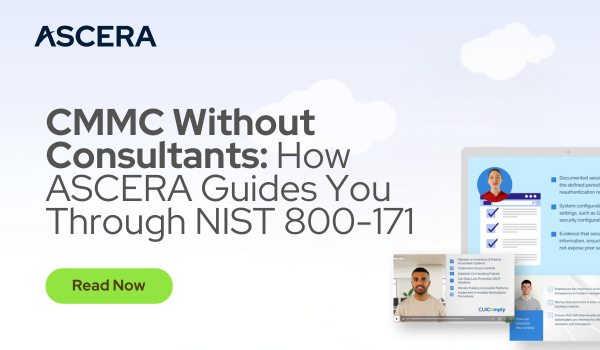
CMMC Without Consultants: How ASCERA Guides You Through NIST 800-171

CMMC Without Consultants: How ASCERA Guides You Through NIST 800-171

For many organizations, the hardest part of CMMC isn’t implementing security controls — it’s figuring out what exactly the security controls are asking for. 

The language of NIST 800-171 can be dense and confusing, and organizations are often left guessing what’s required of them. This is why many turn to external consultants, but this is a costly investment that might not always be possible. 

Understanding NIST 800-171 without hiring costly consultants is possible, though, with GRC tools that have built-in guidance (the right kind) embedded into them. 

Understanding the Problem 

At first glance, CMMC controls might seem straightforward enough. 

For instance, “limit unsuccessful logon attempts.” Simple, right? 

But how strict does that limitation need to be? Is locking an account after 10 failed attempts enough? What if the system doesn’t technically “lock,” but delays access? Does that meet the requirement? What qualifies as evidence? Do you need a configuration setting, a policy document, or both? 

This lack of clarity, unfortunately, is the case for many of CMMC’s 110 controls and 320 objectives. Without clear direction, most organizations are forced to interpret requirements based on whatever context they can find. Sometimes that comes from previous experience, and sometimes from forums, outdated articles, or half-answered Reddit threads. 

And while consultants or internal staff who have assessor-level experience can help answer these questions, not every organization has those resources available. So then what happens? 

In most cases, CMMC turns into a guessing game. You don’t realize where you fall short until you’re already being assessed, which leads to a scramble to remediate findings and generate POA&Ms. This reactive approach introduces stress, delays, and risk — especially for companies with DoD contracts that can’t afford last-minute surprises. 

Finding Guidance Online 

You might think you can solve this with a quick Google search. But most online resources are high-level, outdated, or inconsistent. You’ll often find recycled summaries of NIST 800-171 that simply restate the control language without interpreting it. Other times, you’ll find one-off examples from community forums that don’t apply to your environment. 

There’s also no easy way to verify that the information is accurate. Guidance from a random blog post might sound good in theory, but if it doesn’t align with how certified assessors are trained to evaluate the control, it won’t help you during your actual assessment. 

The Solution: a GRC Tool with Built-in Guidance 

Governance, Risk, and Compliance (GRC) tools are typically used to manage cybersecurity frameworks like CMMC. They help you centralize documentation, track control implementation, and collect evidence. But what if a GRC tool could also walk you through every control with the same level of detail you’d expect from a consultant? 

That’s exactly what ASCERA is designed to do. 

For each of the 110 NIST 800-171 controls, ASCERA provides a detailed walkthrough — created by Certified CMMC Assessors — that includes: 

  • A breakdown of the overall meaning and intent of the control 
  • Insights into how assessors interpret the control 
  • A list of implementation examples of ways to meet the control  
  • Specific evidence/artifacts to prepare for assessors 
  • Connections to related or overlapping controls 

Unlike most resources out there, ASCERA’s guidance isn’t just repackaged NIST language. Instead, it’s real-world guidance from assessors who have evaluated dozens of environments and know what separates a passing implementation from a failing one. 

An additional advantage to CUIComply’s built-in guidance is that it’s embedded directly into your workflow on the platform, so your team doesn’t have to leave the tool or search externally for answers. 

And because it’s baked into the workflow, it supports consistency across the organization. You don’t have to rely on tribal knowledge or try to keep track of one-off answers someone found in a Slack thread six months ago. 

Why it Matters 

ASCERA’s built-in guidance cuts through the gray area of CMMC. 

With a step-by-step walkthrough for every control, ASCERA enables you to spend less time guessing and more time making real progress. Whether your team lacks internal expertise or simply wants clearer answers, ASCERA helps level the playing field by putting expert support directly at your fingertips.  

Here are some of the ways organizations benefit from ASCERA’s guidance: 

  • Spend less time guessing and more time executing  
  • Avoid over- or under-interpreting the requirements  
  • Prepare faster and with more confidence  
  • Build shared understanding across technical and non-technical teams 

What the Guidance Looks Like 

Here’s an example of what you can expect for control CM.L2-3.4.1. Through a video tutorial as well as written breakdown, you’ll learn how assessors interpret the control, how to implement it in your environment, what evidence you need to collect, and more. 

Get Started 

If you’re tired of guessing what controls mean or wondering whether your approach is satisfactory, it’s time to get support. Try ASCERA for free to see how the platform and its built-in guidance works. 

NIST 800-171 Advisement in a Box_ SC.3.12.2 Educational Video

NIST 800-171 Advisement in a Box_ SC.3.12.2 Educational Video

What good is a GRC/CMMC tool if you don’t understand what you need to do to be compliant or how to do it?

 That’s why the team of Certified CMMC Assessors behind CUIComply put together instructional videos for all 110 CMMC controls.

 These videos include:

  • CCA interpretations of each control & what they’re asking organizations to do
  • Clarification of requirements and assessment objectives
  • Step-by-step instructions to satisfy implementation
  • Lists of what assessors are looking for during assessments
  • And more

 Check out our video for SC.3.13.2 to see what you can look forward to when you purchase CUIComply!