After increasing the number of video stream displayed in Teams, you can now use a Get together mode which will use a virtual auditorium background and display every video feed on a chair.
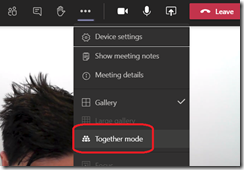
To turn on the Get together, just start a meeting with few participant and turn on the video, then select the Together mode
![image_thumb[1]](https://7552374.hs-sites.com/hubfs/Imported_Blog_Media/image_thumb1-226.png "image_thumb[1]")