As you know, Intune allows you to remotely manage your devices.
Well, while remote management sounds quite easy, the hard part is troubleshooting when something does not go as planned.
Good news, you can now remotely capture diagnostic logging on remote devices when you need to troubleshoot.
There is some prerequisites first:
NOTE the device can be a co-managed device
Now if the prerequisites are met, you can logon to your Intune/Endpoint Configuration Manager portal (https://endpoint.microsoft.com/) using either a Global Admin, Intune Admin, School Admin, Helpdesk Operator account (or any custom role which has Collect Diagnostic permission).
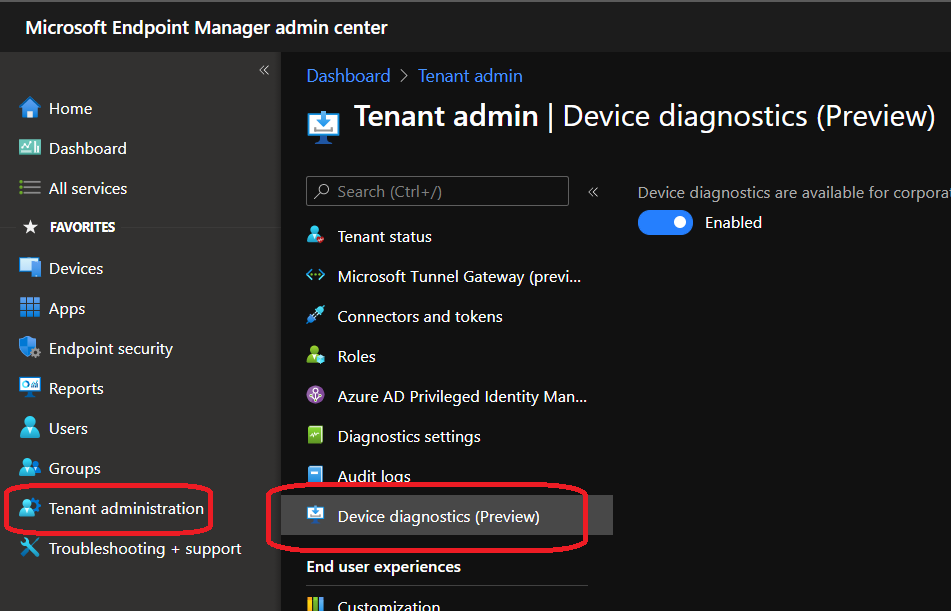
Check if the Device Diagnostic is enabled for your tenant (should be as this is the default configuration) by accessing the Tenant administration\Device diagnostics blade; if you don’t want to use it, you can turn it off there
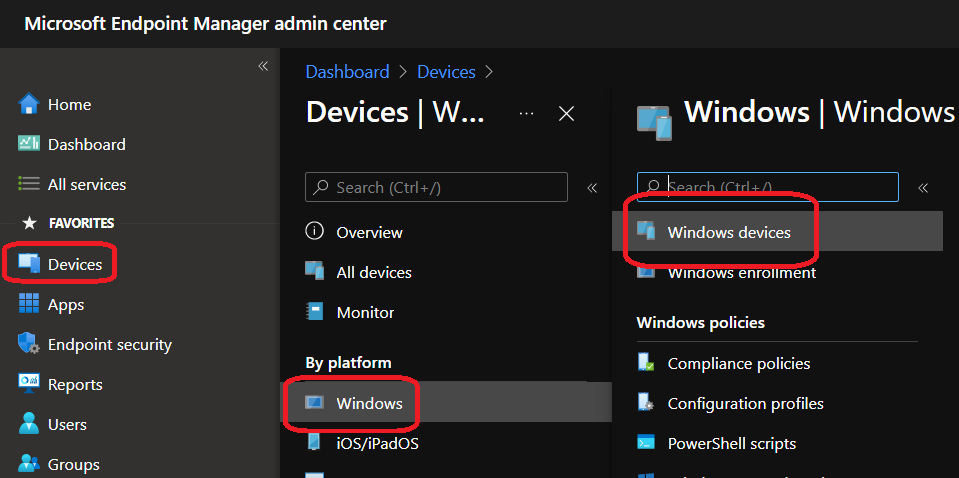
Then access the Devices\Windows\Windows Devices blade to select the device you want to capture the diagnostic logs
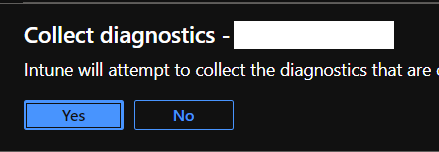
Once you have selected the device, use the Collect Diagnostics option from the action toolbar
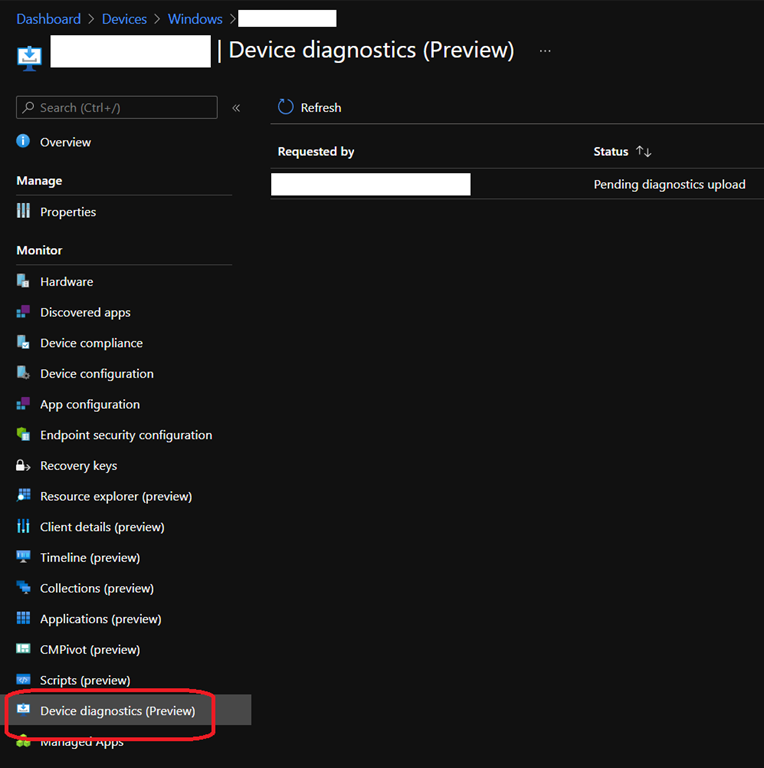
You can monitor the progress through the Device diagnostic blade
3 state are possible:
Once the process is in Completed state, you will be able to download the ZIP file containing all the diagnostic files.